Details of the payment modes for investors availing advisory services are provided below:-
Mandate – Steps to Pay:
- Open the mandate link generated by your advisor.
- Select the bank account and authenticate.
- Mandate gets activated.
Fees will be auto-debited.
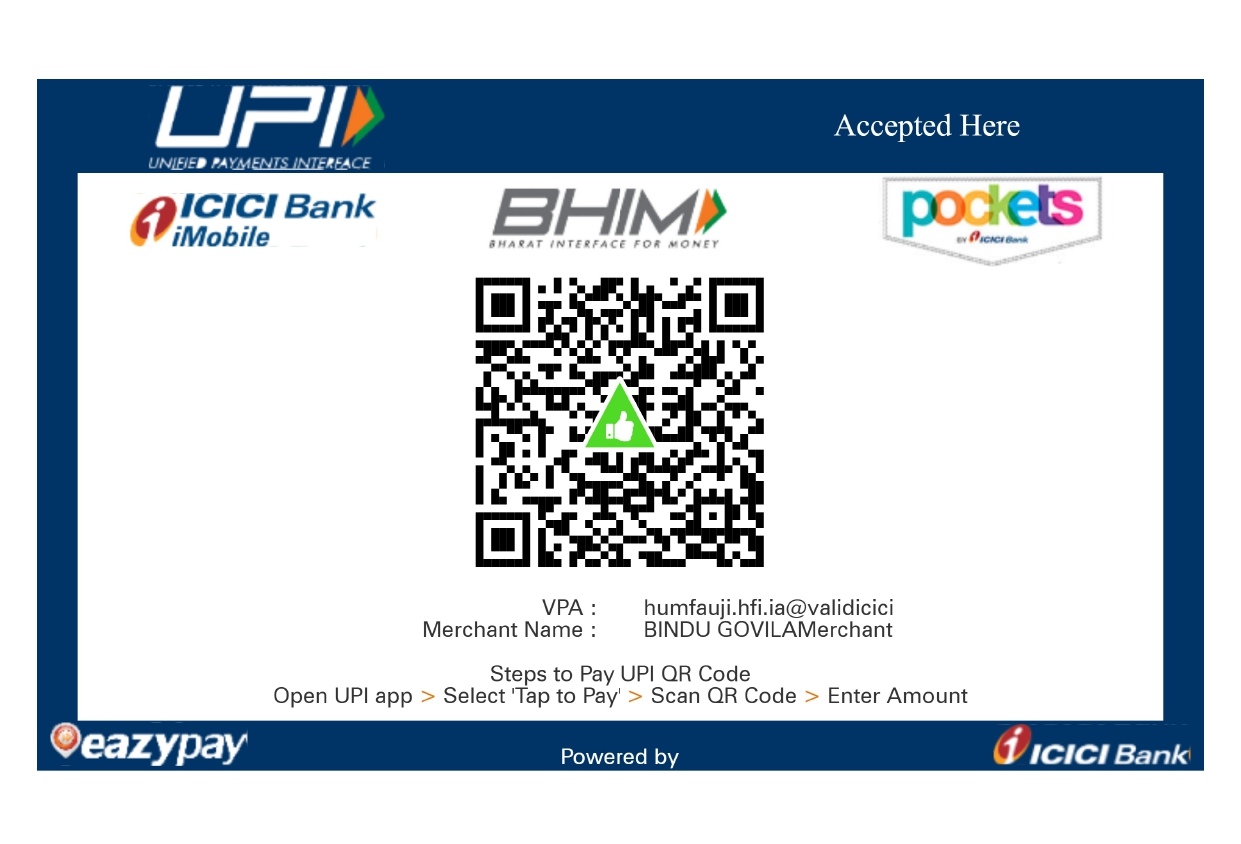
For clients who are unable to pay via mandate, we got a validated UPI handle < humfauji.hfi.ia@validicici >
Steps to pay UPI QR Code
Open UPI app > ‘select Tap to pay’ > Scan QR Code > Enter Amount
FAQ – Mandate (Auto-Debit):
Mandate is a secure one-time authorisation that allows advisory fees to be auto-debited from your bank account as per the agreed terms.
Only once. After activation, the fees are debited automatically, with no need to make payments every time.
No. Once the mandate is active, there is no need to remember payment dates or take any manual action.
Yes. The mandate can be modified or cancelled at any time through your bank or by contacting the advisory desk.
FAQ – UPI ID:
No. Investors may continue with their preferred mode of payment, such as mandate. If UPI is used, payment must be made only through the UPI IDs allotted to registered intermediaries.
Please ensure the following:
- The UPI ID displays the intermediary’s name with category code (e.g., “ia” for Investment Advisor) before “@”.
- The handle “@valid” followed by the bank name is visible after “@”.
- A white thumbs-up icon inside a green triangle appears on the confirmation screen.
- The QR code also shows the same thumbs-up icon and the UPI ID below it.